
On The Line - Volume 5 - September 2026
Aflac Portal – Adding Time Feature to update current schedule
- From your Dashboard, go to the menu on the left and select My Cases
-
- Click on the Case Number you are reporting time for.
- On the top right – go to Things you can do. In the dropdown, select Add Time
- Go to “Is your work schedule represented above accurate?” and select No.
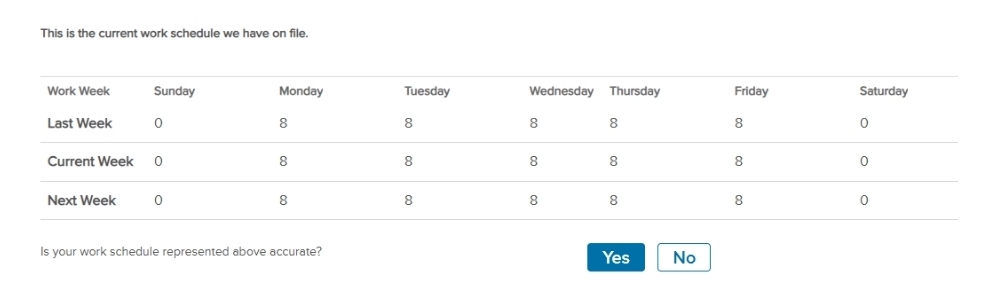
- Hover over the work schedule and select the pencil icon to make updates.
- Crew: Edit the days to reflect your current schedule and use 8 hours per day. Crew is deducted 8 hours of FMLA for each day missed.
- Non-Crew: Edit the days to reflect your current schedule and regular hours scheduled.
- Leave a message for your Case Manager in the comments if needed.
Membership Update: Stay Connected, Stay Informed
On The Line - Volume 5 - September 2026
Membership Update: Stay Connected, Stay Informed
Membership Update: Stay Connected, Stay Informed
Reserve Flight Attendants Meet Monthly on Zoom
On The Line - Volume 5 - September 2026
Reserve Flight Attendants Meet Monthly on Zoom
Reserve Flight Attendants Meet Monthly on Zoom
Aflac Portal – Adding Time Feature to update current schedule
On The Line - Volume 5 - September 2026
Aflac Portal – Adding Time Feature to update current schedule
Aflac Portal – Adding Time Feature to update current schedule